
SEARCHVECTOR / RANK TRACKING
Keyword Tracking Tool
हर ranking को reference point दें.
अपना keyword review SearchVector के rank tracker में लाएं. अपनी site के लिए important searches से शुरू करें, फिर comparable observations से समझें कि क्या बदला.
SearchVector dashboard खुलता है. Continue करने के लिए sign in करें.
INSIDE SEARCHVECTOR
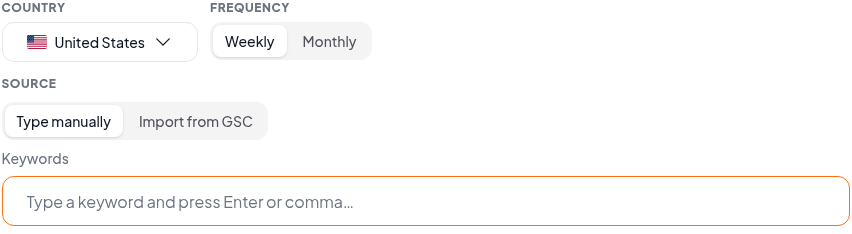
Set up the keywords you want to follow
Workflow
Keyword list से सोचे-समझे next step तक
Keyword tracking तब सबसे उपयोगी होती है जब आपको पता हो कि आप किस site, search और observation को देख रहे हैं. Position के साथ वह context भी रखें.
01
अपना workspace खोलें
Rank tracker खोलें और SearchVector में sign in करें. अपना work setup करने से पहले account में available tracking options review करें.
02
Focused keyword set चुनें
वह domain और keywords लाएं जिन्हें आप follow करना चाहते हैं. Important pages से जुड़े searches prioritize करें ताकि हर ranking review करने की clear reason हो.
03
Context के साथ compare करें
Observations available हों तो movement interpret करने से पहले dates और search scope check करें. क्या बदलना है decide करने से पहले ranking page review करें.
एक position snapshot है. Tracking context जोड़ती है.
आप जिस सवाल का जवाब चाहते हैं, वही तय करे कि data कैसे पढ़ना है.
Single check
Page कहाँ appear हुआ?
एक observation एक समय पर एक search context describe करता है. यह trend establish नहीं करता.
Repeated observations
Checks के बीच क्या बदला?
Same keyword और domain को matching location और device settings के साथ compare करें. अलग scopes अलग positions दे सकते हैं.
Search Console average position
Impressions में visibility कैसे vary हुई?
Aggregate metric individual rank observation से अलग सवाल का जवाब देता है. Change explain करते समय इसे separate रखें.
Ranking change पर react करने से पहले
Scope match करें
Keyword, domain, location और device check करें. ये details बदलें तो comparison interpret करना मुश्किल होता है.
Dates पढ़ें
Observation times देखें. Missing observations evidence gaps हैं, यह proof नहीं कि page ने position gain या lose की.
Destination inspect करें
Query के लिए कौन सा page appear होता है check करें. अलग landing page action बदल सकता है, भले position similar दिखे.
Reasoning record करें
Page edits और अगले observation की note रखें जिसे आप review करना चाहते हैं. Ranking change अकेले cause prove नहीं करता.