
SEARCHVECTOR / RANK TRACKING
Keyword Tracking Tool
Give every ranking a point of reference.
Review keyword rankings in your SearchVector dashboard. Compare observations in the same search context, check which landing page appears, and choose your next action. Sign in to continue.
Opens the SearchVector dashboard. Sign in to continue.
INSIDE SEARCHVECTOR
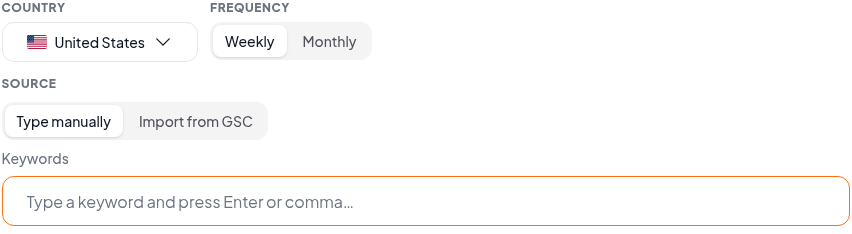
Set up the keywords you want to follow
Workflow
From a keyword list to a considered next step
Keyword tracking is most useful when you know which site, search and observation you are looking at. Keep that context alongside the position.
01
Enter your workspace
Open the rank tracker and sign in to SearchVector. Review the tracking options available in your account before setting up your work.
02
Choose a focused keyword set
Bring the domain and keywords you want to follow. Prioritize searches tied to important pages so each ranking has a clear reason to be reviewed.
03
Compare with context
When observations are available, check their dates and search scope before interpreting movement. Review the ranking page before deciding what to change.
One position is a snapshot. Tracking adds context.
Use the question you want to answer to choose how you read the data.
A single check
Where did the page appear?
An observation describes one search context at one point in time. It does not establish a trend.
Repeated observations
What changed between checks?
Compare the same keyword and domain under matching location and device settings. Different scopes can produce different positions.
Search Console average position
How did visibility vary across impressions?
An aggregate metric answers a different question from an individual rank observation. Keep it separate when explaining a change.
Before you react to a ranking change
Match the scope
Check the keyword, domain, location and device. A comparison is harder to interpret when those details change.
Read the dates
Look at the observation times. Missing observations are gaps in evidence, not proof that a page gained or lost a position.
Inspect the destination
Check which page appears for the query. A different landing page can change the action you take, even when the position looks similar.
Record your reasoning
Keep a note of page edits and the next observation you want to review. A ranking change alone does not prove what caused it.