
Integration
Connect Google Search Console
This Google Search Console integration connects a verified property to a SearchVector project. You can pick a domain or URL-prefix property, and the GSC reporting tool then shows clicks, impressions, CTR and position, plus keyword cannibalization and ranking opportunities.
Domain and URL-prefix properties
Pages, queries and index status
Several Google accounts
SearchVector · Search Console integration
How it works
Connect Search Console in three steps
Sign in, choose a property, open your reports.
One connection, many reports
Everything your Search Console property can show you
REPORT 1 OF 6
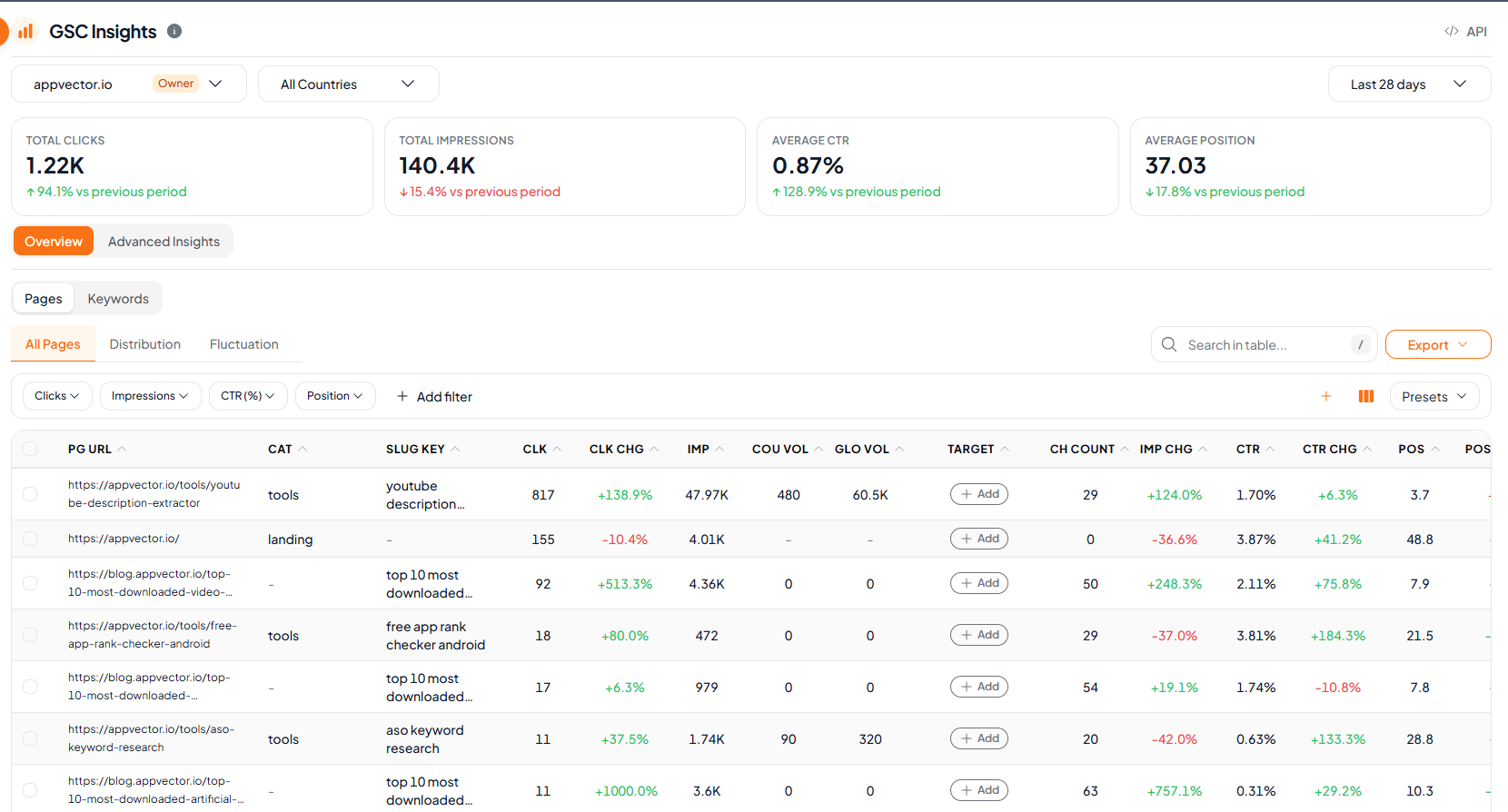
Clicks, impressions, CTR and position at a glance
Four KPI cards show the change against the previous period, with an Overview tab and an Advanced Insights tab beside it.
Total clicks, impressions, average CTR and average position
Green and red change versus the previous period
Pages and Keywords tables with click, impression, CTR and position changes
Search, filters, saved presets and export
SearchVector · GSC Insights
API
Automate your GSC report workflow with SearchVector Google Search Console APIs
Send any Google Search Console query through the SearchVector API and get the full response back for a connected project. Use it to automate your GSC reporting without exporting data by hand.
REST API
API key auth
cURL
curl --request POST \ --header "Authorization: YOUR_API_KEY" \ --header "Content-Type: application/json" \ --url "https://searchvector.io/api/projects/{project_id}/gsc/custom-query/" \ --data '{ "startDate": "2026-09-07", "endDate": "2026-10-04", "dimensions": []}'Replace YOUR_API_KEY with your API key. Get your API token
Built for several accounts
Several Google accounts, one dashboard
Connect more than one Google account and switch between them. Properties that match your project domain are suggested first, and each shows whether it is a Domain Property or a URL Prefix.
Owner, Full Access and Restricted badges on every property
Unverified properties are hidden
Active, Expired or Not Connected status, with a Reconnect option
Skip the spreadsheet step
| What you need | Manual way | In SearchVector |
|---|---|---|
| See clicks and position by page | Filter the Search Console performance report | Open Top Pages |
| Check which URLs are indexed | Inspect URLs one at a time | Open the Index Status Checker |
| Compare with last period | Set up a date comparison and export | Read the change on every card and row |