
Integration
Connect Google Analytics 4
This GA4 integration connects your Google Analytics 4 properties to SearchVector with one Google sign-in. Choose the properties you want, and the GA4 reporting tool shows traffic sources, pages, landing pages, audience and key events without exports or spreadsheets.
Choose your properties
Traffic, pages and events
Export to CSV
SearchVector · GA4 integration
How it works
Connect GA4 in three steps
Sign in, choose what to connect, open your reports.
One connection, many reports
Everything your GA4 property can show you
REPORT 1 OF 3
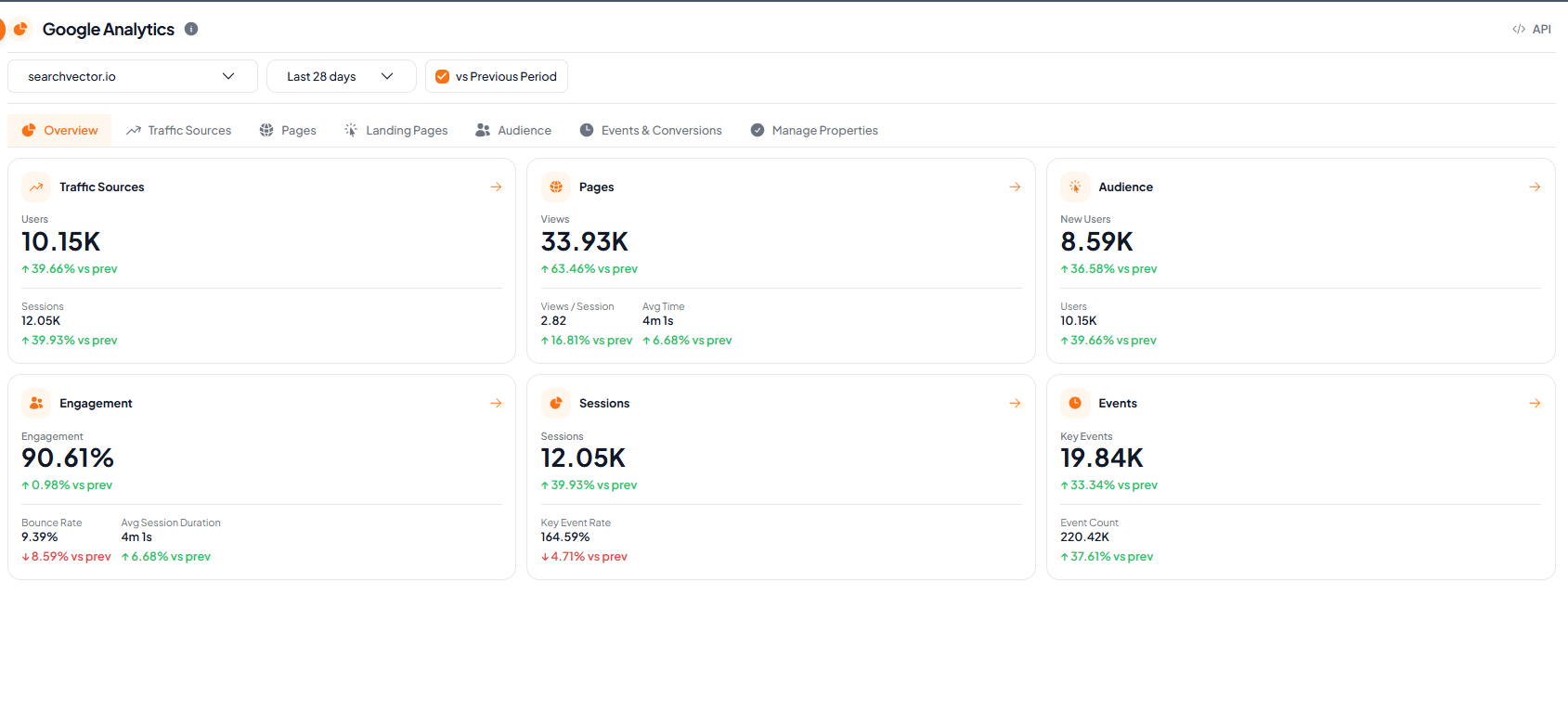
Six KPI cards, one glance
Start here. Traffic, pages, audience, engagement, sessions and events each get a card, with the change against the previous period.
Users, sessions, views, new users, engagement and key events
Green and red change versus the previous period on every card
Click a card to jump straight to its report tab
Switch property and date range at the top
SearchVector · Overview
API
Automate your GA4 reporting workflow with SearchVector Google Analytics APIs
Run GA4 reports through the SearchVector API with your own dimensions, metrics and date ranges, and get the full response back for a connected property. Use it to automate your GA4 reporting without exporting data by hand.
REST API
API key auth
cURL
curl --request POST \ --header "Authorization: YOUR_API_KEY" \ --header "Content-Type: application/json" \ --url "https://searchvector.io/api/tools/ga4/report/" \ --data '{ "property_id": "{property_id}", "dimensions": ["sessionDefaultChannelGroup"], "metrics": ["sessions"], "date_ranges": [{ "start_date": "2026-09-07", "end_date": "2026-10-04" }]}'Replace YOUR_API_KEY with your API key. Get your API token
Built for several properties
Several properties, one dashboard
Connect as many GA4 properties as you need and choose which ones to track. Every report has a property selector, so you switch between sites without leaving the page.
Search properties by name or ID, or select them all
Properties you have already connected are flagged
Disconnect a property from Manage Properties, after a confirmation
Skip the spreadsheet step
| What you need | Manual way | In SearchVector |
|---|---|---|
| See traffic by channel | Build a GA4 exploration | Open Traffic Sources |
| Find your top pages | Set up a custom report and export it | Open the Pages report |
| Compare with last period | Run two date ranges side by side | Switch on vs Previous Period |