
SearchVector vs. Semrush
A Semrush alternative for your entire SEO workflow
Manage rankings, keyword research, Google insights, content planning and SEO tasks with SearchVector—a Semrush alternative for connected team workflows.
Free plan available. No credit card required.
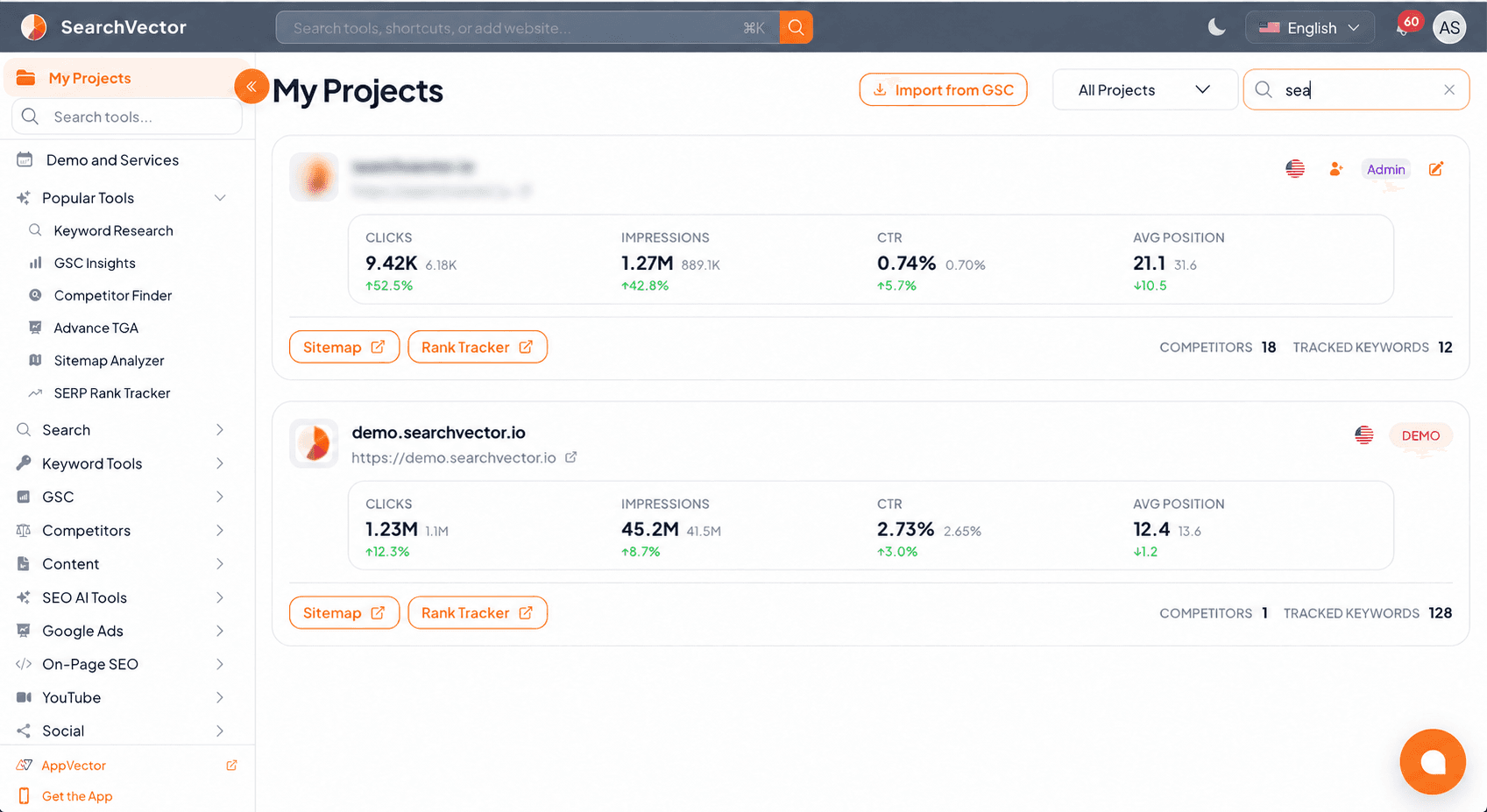
Live rank checks
Connected Google insights
Shared content planning
One website. One connected workspace.
Move from insight to action.
Keep research, Google data, content planning and the work your team does connected to the same websites.
01 /
Research
Find keywords, competitors and topic opportunities.
02 /
Analyze
Connect search performance with your pages and content.
03 /
Plan & assign
Organize content, metadata changes and SEO tasks.
04 /
Monitor
Follow rankings, review reports and record your changes.
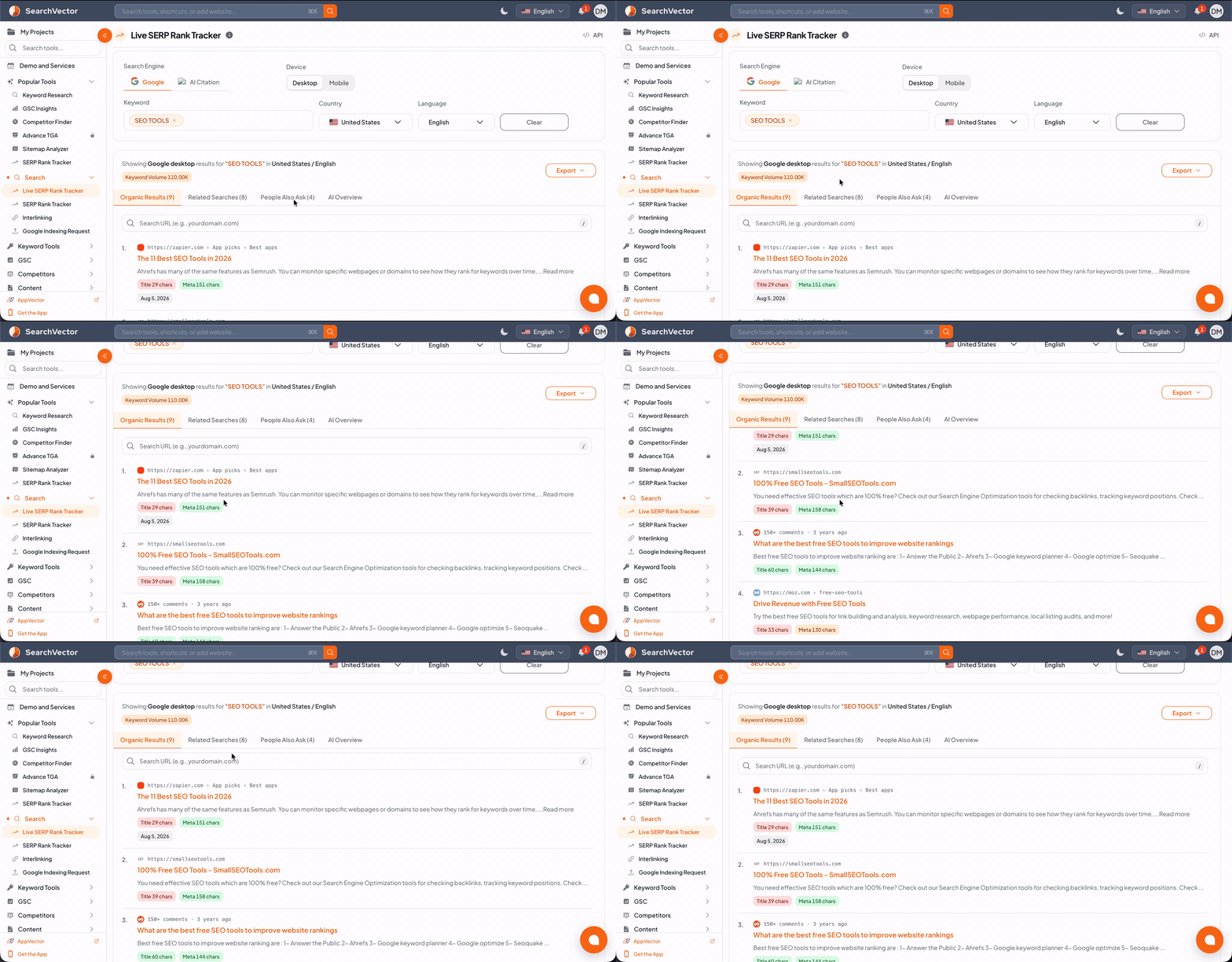
01 / Rank tracking
Know where you rank. Follow what changes.
Use live SERP checks for a current view, then track your chosen keywords over time. Keep your ranking work connected to the websites and search queries your team follows.
Live SERP Rank Tracker
Check current keyword positions when you need a fresh view of the search results.
Scheduled rank tracking
Follow tracked keywords with daily updates on paid plans, or choose weekly or monthly schedules.
A shared view of progress
Review keyword positions and competitors alongside connected Search Console data.
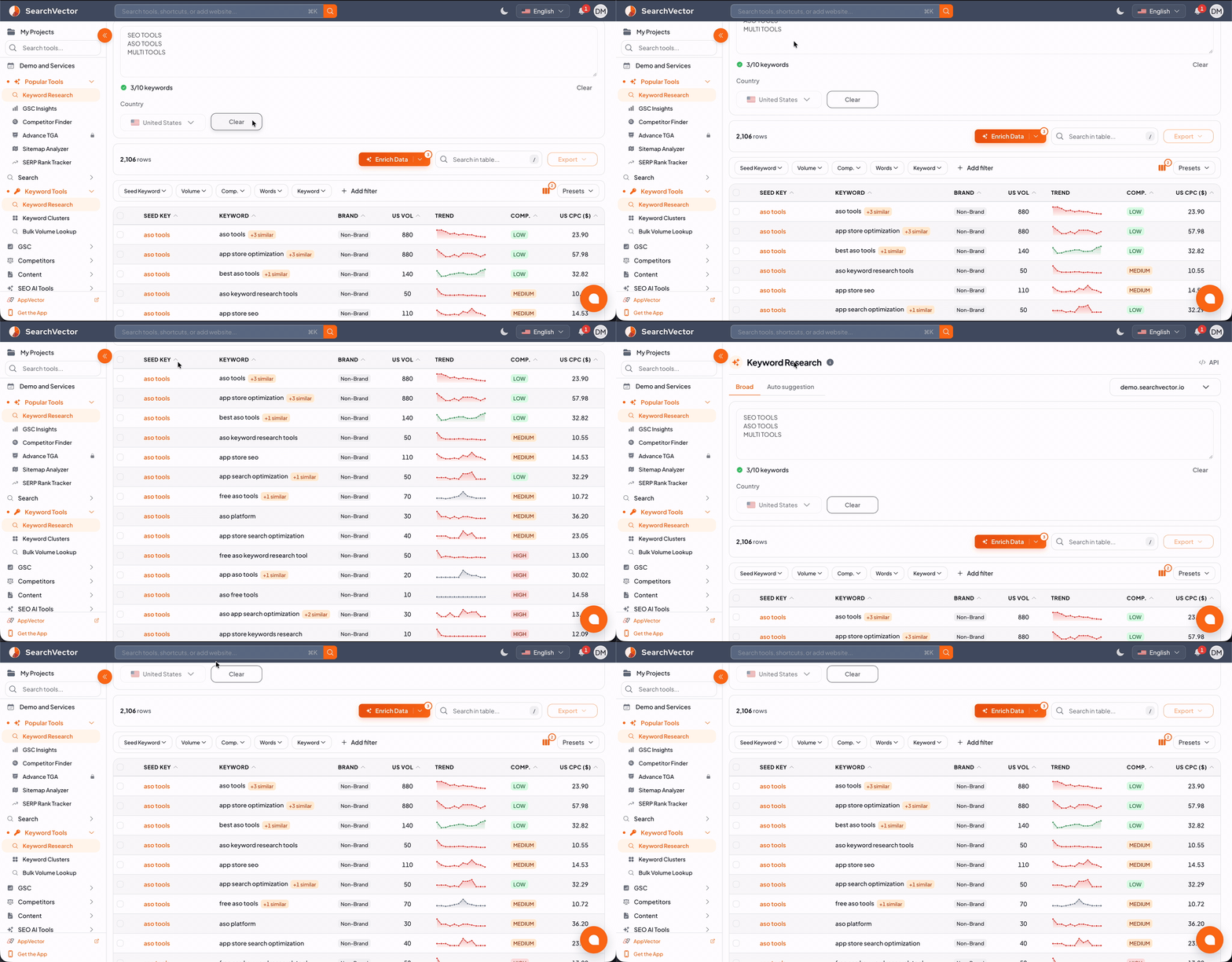
02 / Keyword research
Build a keyword list around your audience.
Explore ideas, check search volumes and group related terms. Keep your keyword research connected to the pages and topics your team wants to work on.
Keyword research
Explore ideas across Google, Bing, YouTube, Amazon, App Store and Google Play.
Volume lookup & clusters
Check search volumes in bulk and organize related keywords into useful groups.
Research across search platforms
Explore keyword opportunities for websites, videos, ecommerce and app stores from the same workspace.
03 / Connected Google data
Bring your Google insights into focus.
Work with connected Search Console, Analytics, Ads and Business Profile data. Move from a performance signal to the pages, queries or campaigns you want to investigate.
Search Console & Advance GSC
Explore clicks, impressions, CTR and position. Filter pages and queries, compare periods and examine performance trends.
GA4 & Google Ads
Review analytics and campaign insights, including paid and organic search analysis through the GAQL ↔ GSC workflow.
Google Business Profile
Review connected business insights and customer reviews alongside your wider website work.
04 / Competitor & topic research
Turn a content gap into your next opportunity.
Discover competing websites, investigate their keywords and compare topic coverage against a domain, URL or sitemap. Connect what you learn to your own content priorities.
Competitor discovery & keyword gaps
Find competing domains and compare keyword opportunities with single- and multi-competitor analysis.
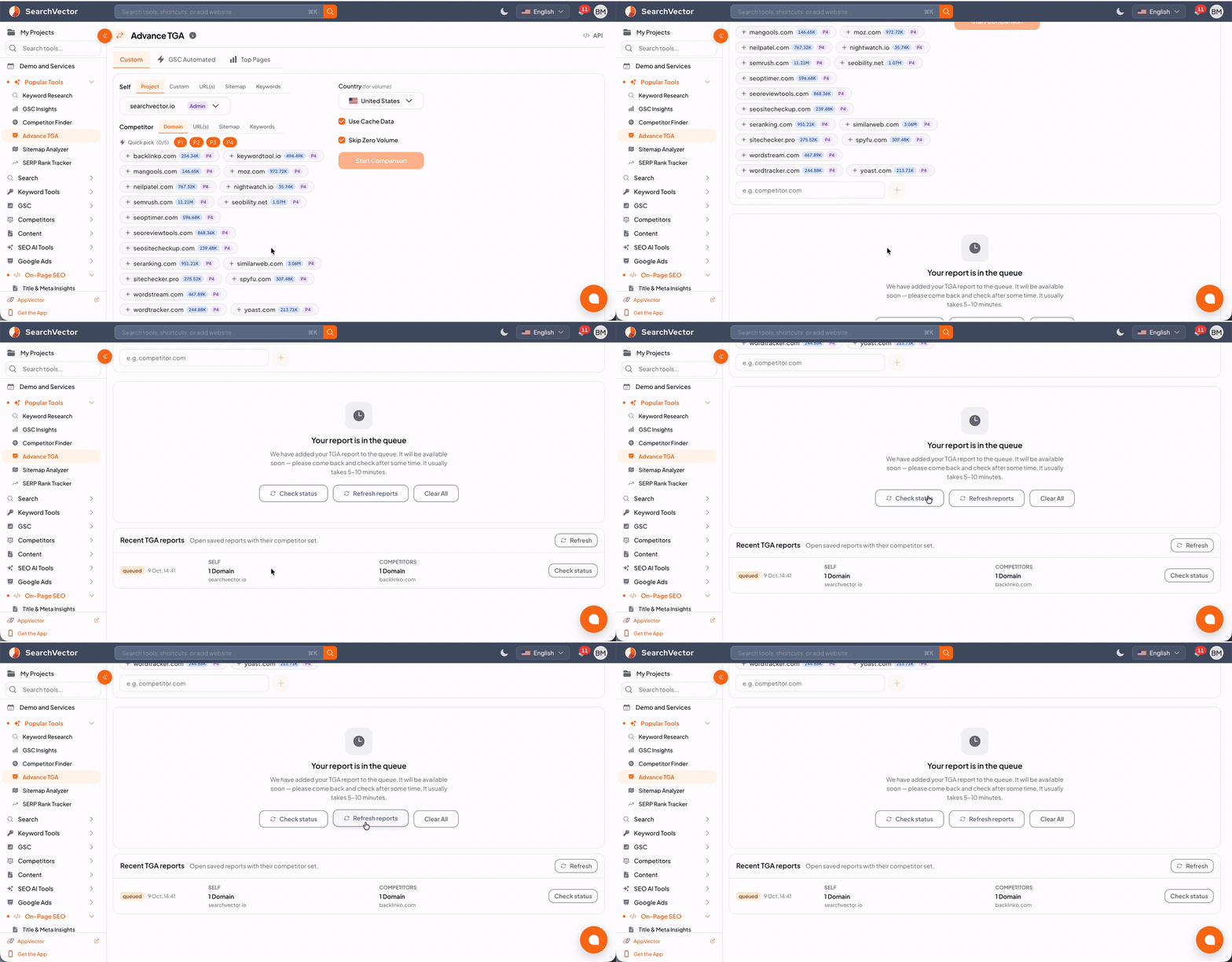
Topic Gap Analysis & Advance TGA
Compare topic coverage, explore matching URLs and identify content worth improving or creating.
Site structure & URL comparisons
Use Sitemap Analyzer and Self Vs Competitor URL Analysis to investigate structure and individual pages.
05 / Content, team & tasks
Give every insight a place in your plan.
Coordinate new content, refreshes and SEO work across your websites. Keep the next action, its owner and the history of your changes together.
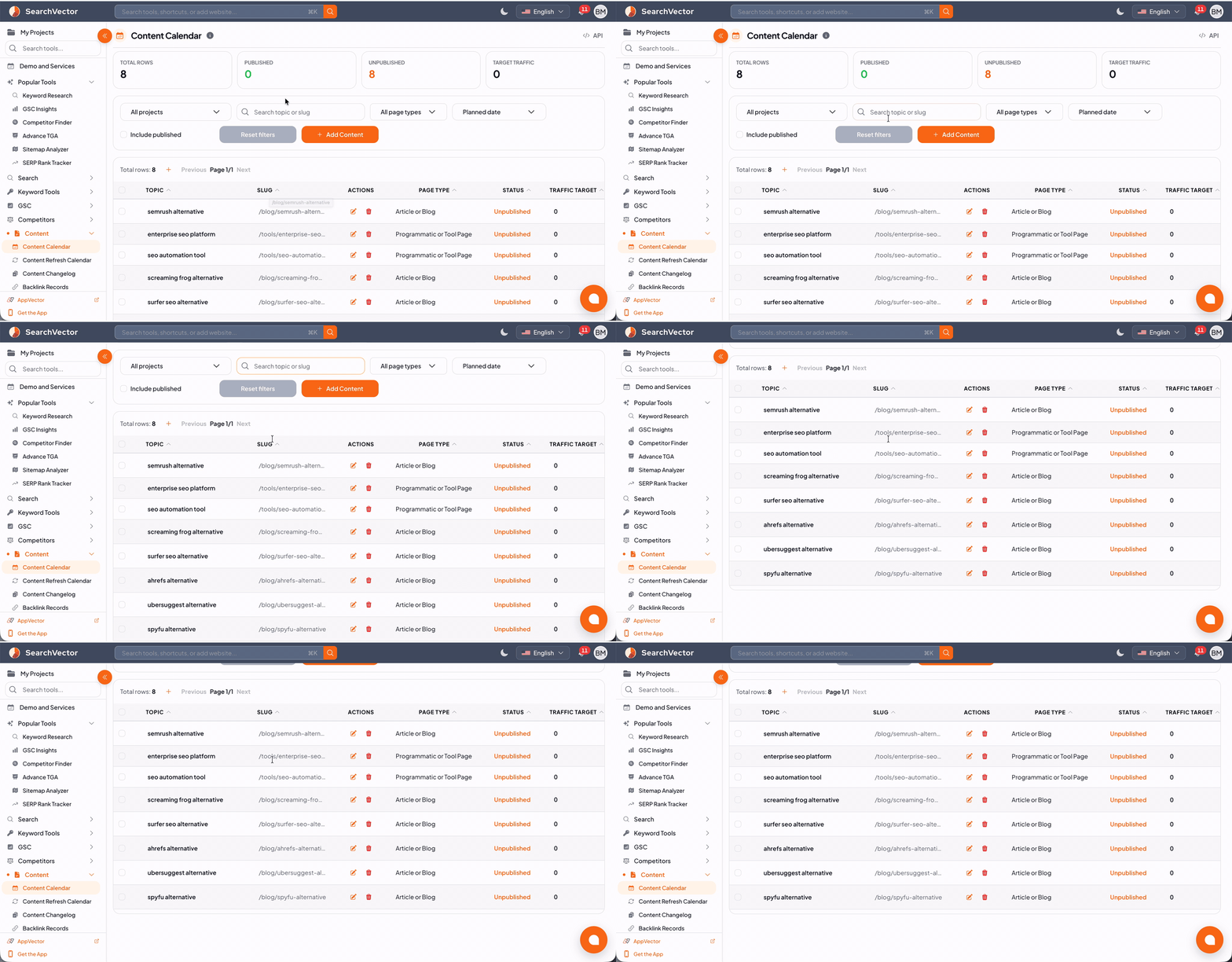
Content & refresh calendars
Plan new pages and keep existing content updates visible in a dedicated refresh calendar.
Title Meta Planner & changelog
Organize metadata work and record meaningful changes so the team can follow what happened.
Team members & SEO tasks
Manage your team and turn SEO priorities into organized tasks. Pro includes three team members.
06 / Alerts & reporting
Keep a regular pulse on your websites.
Set up recurring reports and alerts for the data your team follows. Give website performance and sitemap changes a place in your regular review.
Connected performance reports
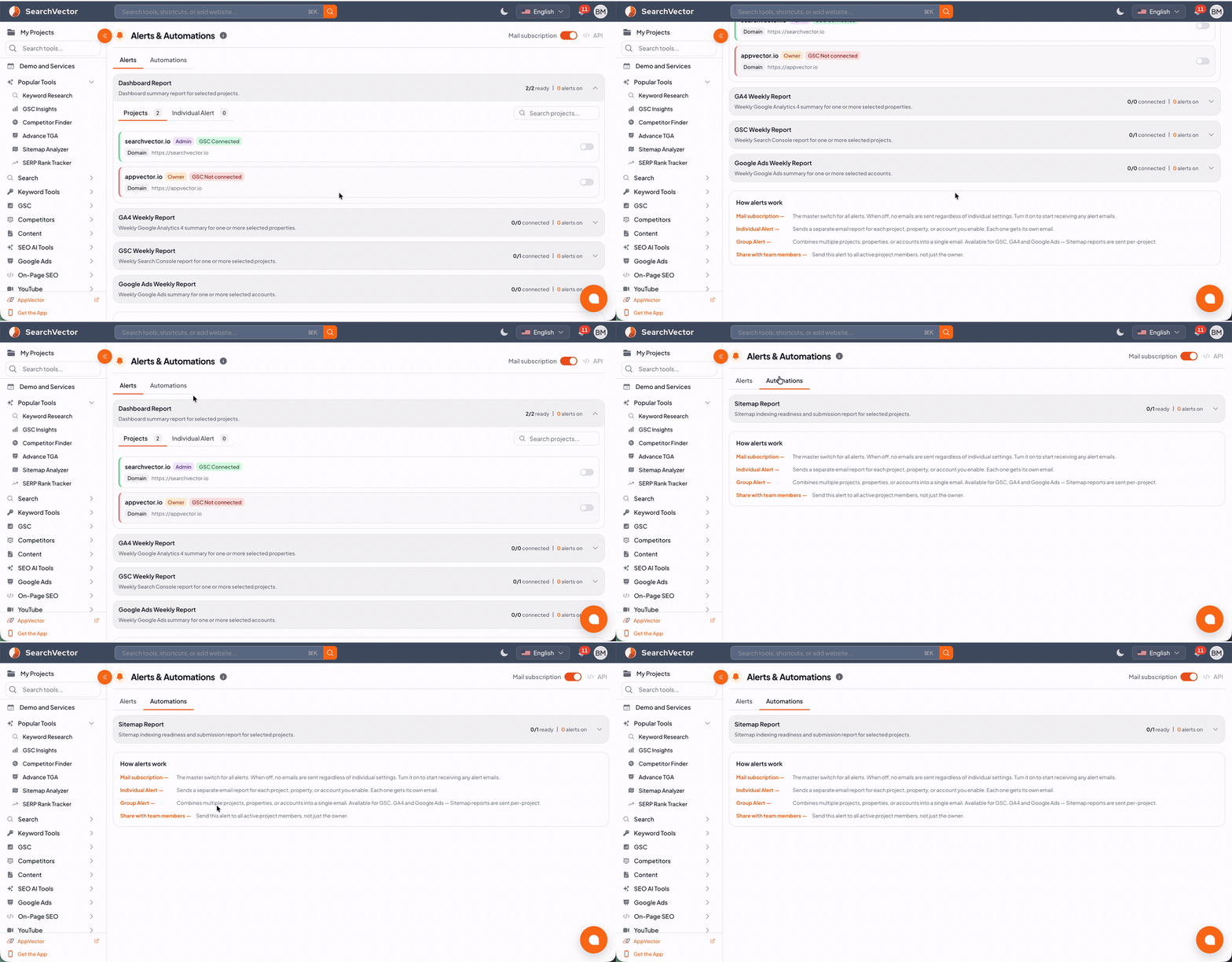
Receive Search Console, GA4, Google Ads and dashboard summaries for your connected properties and accounts.
Sitemap monitoring
Configure sitemap workflows and alerts to follow changes to your website’s URL inventory.
Indexing & internal links
Use Google Indexing Request and Interlinking to support your submission and internal-link workflows. Indexing is determined by Google.
The SearchVector toolkit
More of your website work, in one place.
Go beyond a ranking check. Explore the tools that support your research, optimization, content and day-to-day teamwork.
01
Rank tracking
- Live SERP Rank Tracker
- Scheduled SERP Rank Tracker
02
Keyword research
- Keyword Research
- Bulk Volume Lookup
- Keyword Clusters
03
Google insights
- GSC Insights & Advance GSC
- Google Analytics 4
- Google Ads
- Google Business Profile
04
Competitor research
- Competitor Finder
- Organic & Multi Keyword Gaps
- Self Vs Competitor URL Analysis
05
Topic & site analysis
- Topic Gap Analysis & Advance TGA
- Sitemap Analyzer
- Site Audit
- CWV Analytics
06
Titles & metadata
- Title & Meta Insights
- Title Optimizer
- AI Title/Meta Generator
- Manual Title Changer
07
YouTube tools
- Video Analyzer & Channel Audit
- YouTube Analytics
- Comment Reply
- Hashtag Generator
08
Social & link opportunities
- Social Optimization
- Backlink Opportunities
- Interlinking
- Backlink Records
09
Content planning
- Content Calendar
- Content Refresh Calendar
- Title Meta Planner
- Content Changelog
10
Team & tasks
- Team Members
- SEO Tasks
11
Alerts & automation
- Dashboard & Google reports
- Sitemap monitoring
- Google Indexing Request
12
APIs & mobile
- API access on Growth
- iOS & Android apps
Some tools require a paid plan, connected accounts or credits. API access is available on Growth. See pricing for current limits.
SearchVector & Semrush / Entry plans
Compare your first paid plan
A clear view of pricing, usage, analytics and support for your team.
| Plan essentials | SearchVector Pro | Semrush SEO |
|---|---|---|
| Monthly subscription | $99 / month | $139 / month |
| Monthly credits | 100,000 credits / month | Tool-specific usage limits |
| Priority Support | Contact Semrush for availability | |
| Advanced Analytics | ||
| Daily scheduled tracking | ||
| Team access | 3 team members included | Additional users from $45 / month |
Monthly billing shown. Semrush currently calls its entry SEO plan “SEO.”
SearchVector uses credits; Semrush applies tool-specific limits. These allowances are not directly equivalent. Connected-account requirements apply.
APIs / Your own automation
Build the automation that fits your team.
Use SearchVector APIs to connect SEO data and supported workflows to your own tools, scripts and AI agents. API access is available on Growth; your integration controls which actions it performs.
Your SEO data
SearchVector API
Your scripts & AI agents
Web / iOS / Android
Your SEO workspace, wherever you work.
Access SearchVector on the web, iPhone, iPad and Android. Keep your keyword research and website insights close when you are away from your desk.


Questions about SearchVector
A few useful details before you choose your SEO workspace.