To research competitor keywords, compare relevant websites or individual pages in the same search market, review the terms they appear for, and decide which ones your audience actually needs. Use a domain comparison to explore new topics. Use a page comparison to improve a specific article, category, or product page.
The practical sequence is: choose competitors, fix the comparison scope, inspect candidate keywords, then assign each useful group to a page. Start with SearchVector Keyword Research to explore a seed topic. Treat any keyword list as evidence to investigate, not a ready-made publishing calendar.
Choose the question before the competitors
A business competitor sells to your customers. A search competitor appears for a query you want to answer. These groups overlap, but they are not interchangeable. A running-shoe retailer might compete commercially with another store while facing magazines, specialist blogs, and marketplaces in search results.
Write a research question that ends in a decision. For example: “Which questions should our trail-shoe buying guide answer?” is specific enough to guide page selection. “What keywords does a large sports retailer have?” can produce a long list that spans equipment, clothing, and services you do not sell.
Choose three starting queries that reflect your audience's task. Inspect their search results and note the recurring domains, the exact ranking pages, and the kind of answer each provides. Keep retail category pages separate from editorial guides. A magazine can be a useful editorial reference without being a sensible domain-wide sales competitor.
Record why each competitor belongs in the comparison. “Serves beginner trail runners in our market” is a stronger reason than “has a large website.” Refresh this shortlist when you move to a different topic, since the relevant competitors can change.
Set domain or page scope
Domain-level research helps you discover topic areas across a website. Page-level research narrows the question to a particular URL and the intent it serves. Comparing your single buying guide with a competitor's entire domain makes unrelated keywords look like editorial omissions.
| Decision | Comparison | Check first |
|---|---|---|
| Find a new topic area | Comparable domains or supported sections | Similar audience and product range |
| Improve a buying guide | Your guide and competing guides | Same reader question and format |
| Improve a category page | Comparable category URLs | Similar inventory and buying intent |
Before collecting data, save the selected country, language, search engine, device if available, scope, source, and collection date. Record whether subdomains or subfolders are included. If a provider offers no language or device control, mark that limitation rather than assuming it matched your intended settings.
Keep organic and paid keyword data separate. An advertiser's bidding activity does not prove organic visibility or profitable sales. Likewise, a phrase in a competitor's heading is a topic clue; it does not establish that the page ranks for that phrase.
Collect a shortlist with traceable evidence
A competitor research report can supply candidate queries and associated URLs. Start with SearchVector's SEO Competitor Analysis Tool when comparing sites, and check the available inputs before collecting your list. This workflow does not assume a particular export format, complete market coverage, or access to a competitor's private analytics.
For every candidate, keep the query, competitor URL, your closest existing URL, and the observation behind the recommendation. Add volume or difficulty only when your source supplies them, with its market and date. Leave unknown values blank or label them “unavailable”; zero would mean something different.
Read the report's definitions. For example, Semrush's Keyword Gap documentation distinguishes missing terms from weak terms. Its missing group concerns keywords all compared competitors rank for while your site does not; weak terms are shared keywords where your position is lower than every compared competitor. Labels and thresholds are provider-specific, so preserve the meaning alongside the row.
Next, open the relevant pages. Confirm that the reported competitor URL still answers the query and that its format fits the task. Prioritize this manual review for the few candidates likely to become work, rather than trying to inspect every returned row.
Worked example: a trail-shoe guide
Suppose you sell trail-running shoes in the US and already have a beginner buying guide. You compare it with two competing guides using the same market settings. The following rows are invented teaching examples, not SearchVector output, observed rankings, or measured customer results. Volume and difficulty are deliberately omitted.
| Candidate query | Sample observation | Editorial decision |
|---|---|---|
| trail running shoe fit | Your guide gives no fitting procedure | Improve the guide with a fit checklist |
| road vs trail running shoes | The comparison needs a fuller explanation | Evaluate a separate comparison guide |
| waterproof trail running shoes | Searchers may want products or advice | Inspect results before choosing a page |
| children's football boots | Outside your product range | Reject despite competitor coverage |
The first row becomes a concrete revision: explain toe space, heel movement, and how to try shoes with the socks used for running. Have an appropriate product specialist review the advice. The evidence you need is a useful fitting procedure, not repeated occurrences of the phrase.
The second row needs another check. If the existing guide can answer the comparison clearly in a short section, improve it there. If the search task requires a substantial comparison with distinct examples, assign a separate page and link between the two. Do not create a new URL merely because the wording differs.
The waterproof query remains undecided until you inspect the result mix. A category page could help someone ready to shop; a guide could help someone weighing breathability and weather protection. The football query is rejected immediately. That rejection saves work even if a competitor report makes the term look attractive.
Group by reader task and assign a page
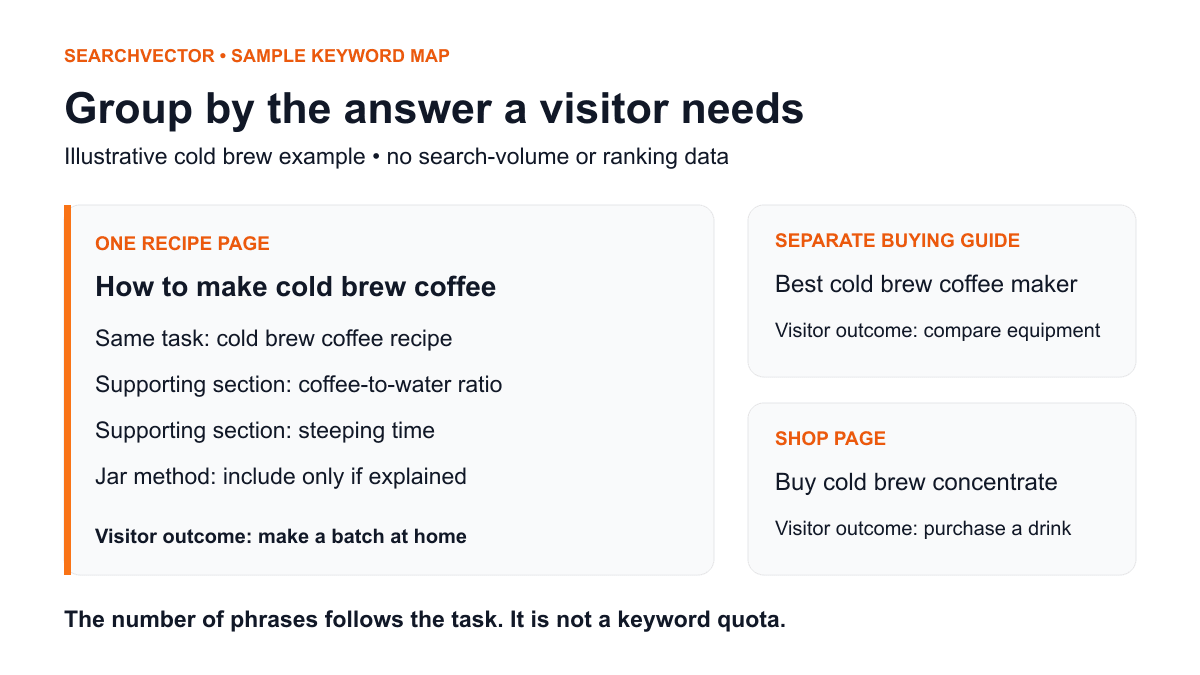
Group queries by the decision the reader needs to make. Similar wording is a starting point, but shared vocabulary does not guarantee shared intent. “Trail shoe sizing” and “trail shoe size chart” may need different treatment if one asks for advice and the other expects brand-specific measurements.
You can explore groups with the Keyword Cluster Tool, then manually review the proposed groupings. Give each accepted group one intended destination. Check your current content inventory first so the new assignment does not duplicate an existing guide under a different title.
Use three possible actions: improve an existing page, create a distinct page, or hold for evidence. A hold should state what would resolve it, such as checking the search results in the target market or confirming whether your product range supports the query. Keep rejected terms with a short reason so another review does not rediscover the same distractions.
Prioritize without false precision
Assess audience fit, the evidence you can contribute, and the work required. For the sample retailer, adding a reviewed fitting checklist may be more achievable than building a new category with too few relevant products. A high-volume phrase cannot fix a weak match between the visitor's need and your offer.
Use a plain-language priority note: “Do next: directly supports our customers, product expertise available, existing page ready to edit.” Use “Research next” where intent or inventory is uncertain. This makes the decision inspectable without inventing a numerical score that disguises missing data.
Your brief should name the reader, the question, the destination URL, the evidence needed, and the owner. Specify what useful material the finished page will contain. Google's people-first content guidance emphasizes original value and satisfying the visitor's purpose. Competitor research should help uncover unanswered needs, not become an instruction to reproduce another site's article.
Review the result after the change
Before editing, save a baseline for the intended page and relevant queries in your own search-performance data. After publication, compare appropriate periods and keep the country, device, and search type consistent. Note seasonality, promotions, inventory changes, and other edits that could affect the result.
Google Search Console's Performance report provides clicks, impressions, click-through rate, and average position for your property. Its data can help evaluate visibility changes, but it does not reveal a competitor's conversions. Some queries are omitted for privacy, so an absent query row is not proof of no demand.
Look for evidence that the intended page serves the intended query group. If a different page appears, review the page assignments and internal links before commissioning more content. Traffic changes alone do not establish that your edit caused the outcome.
Finish with one page assignment
Before closing the research session, confirm the scope and market, inspect the strongest candidate's search results, identify the existing destination, and write the specific improvement it needs. Keep unknown metrics visible and give unresolved questions an owner.
A useful competitor keyword review ends with a defensible content decision. Choose one relevant group, attach the evidence, and improve or commission the page that can answer it well. Repeat that process as your audience, products, and search results change.